Edge caching: serve static content from the edge
Serve a paid Voroa web service's static content from a global edge cache: setup, cacheable file types, cache eligibility, purging, Cache-Control rules.
Voroa provides edge caching for static assets (documents, images, and so on) served by paid web services. With edge caching enabled, you can speed up response times and reduce load on your web service.

Setup
Edge caching is not available for free web services.
-
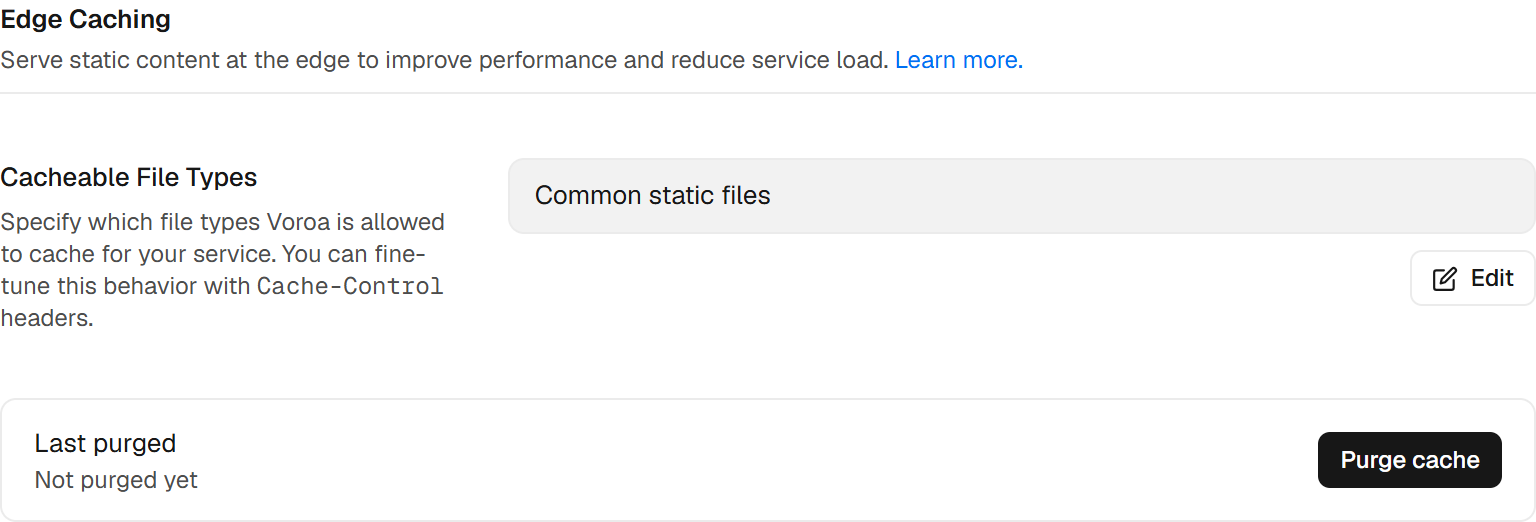
Open your web service’s Settings page and go to the Edge Caching section.
-
Under Cacheable File Types, click Edit and select an option:
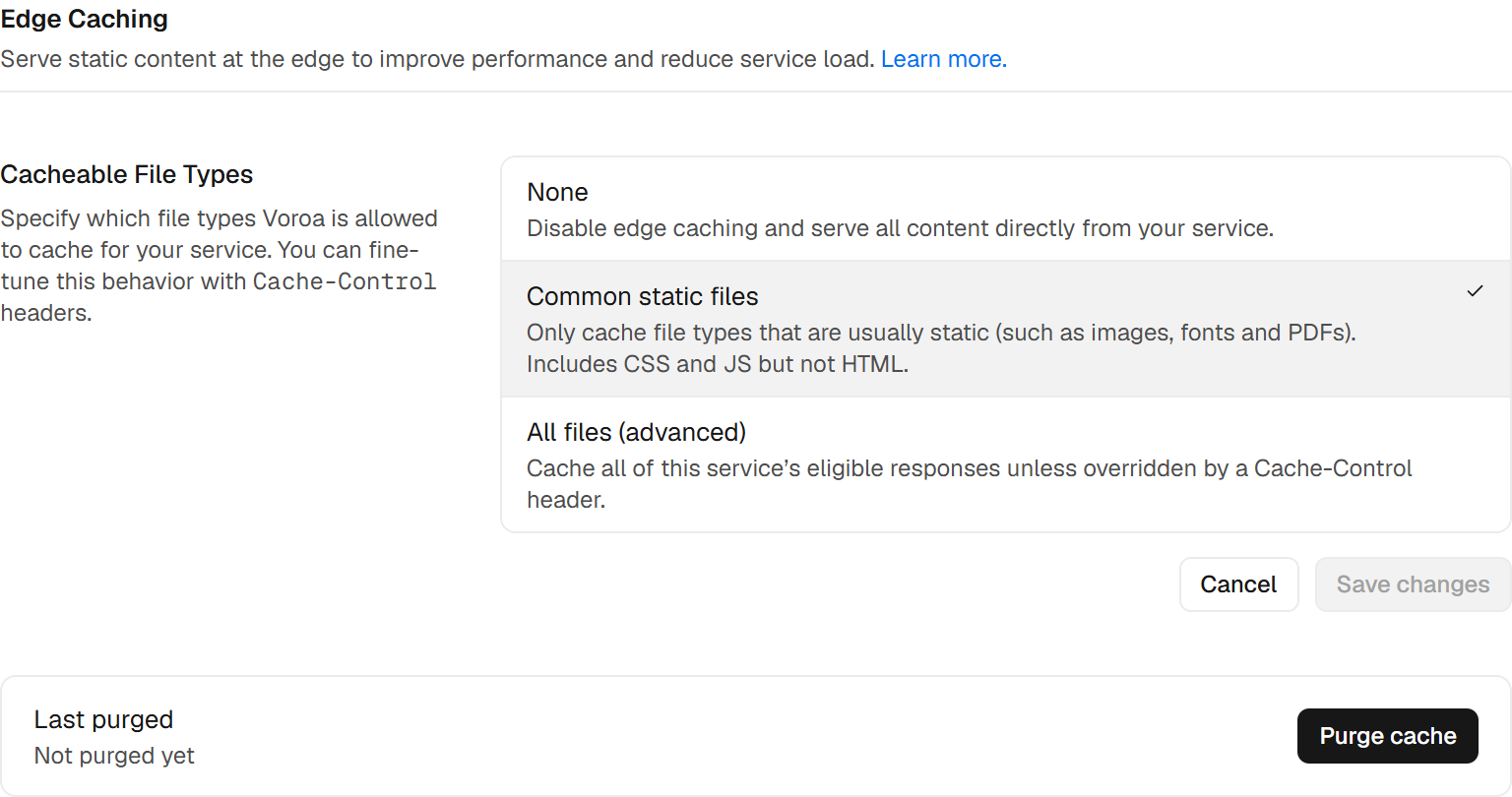


| Option | Description |
|---|---|
| None | Disables edge caching. All assets are served from your web service. This is the default option. |
| Common static files | Unless overridden by a Cache-Control header, Voroa caches assets with the following file types: 7z avif bin bmp bz2 class css csv dmg doc docx eot ejs eps exe flac gif gz ico iso jar jpeg jpg js mid midi mp3 ogg otf pdf pict pls png ppt pptx ps rar svg svgz swf tar tif tiff ttf webp woff woff2 xls xlsx zip zst. Other file types are never cached, regardless of Cache-Control headers. Video files are not cached. |
| All files (advanced) | Unless overridden by a Cache-Control header, all of your service’s eligible responses are cached, regardless of file type. This might include dynamic content. If you use this option, set Cache-Control headers on dynamically generated content to prevent it from being cached. Otherwise, you might serve the wrong version of that content to visitors. |
- Click Save changes. A confirmation dialog appears. Review the notices and click Confirm.
Voroa begins caching your web service’s cache-eligible responses within a few minutes.
How edge caching works
Whenever a visitor sends an HTTP request to your cache-enabled web service, Voroa determines whether the request is eligible to be served from the edge cache.
-
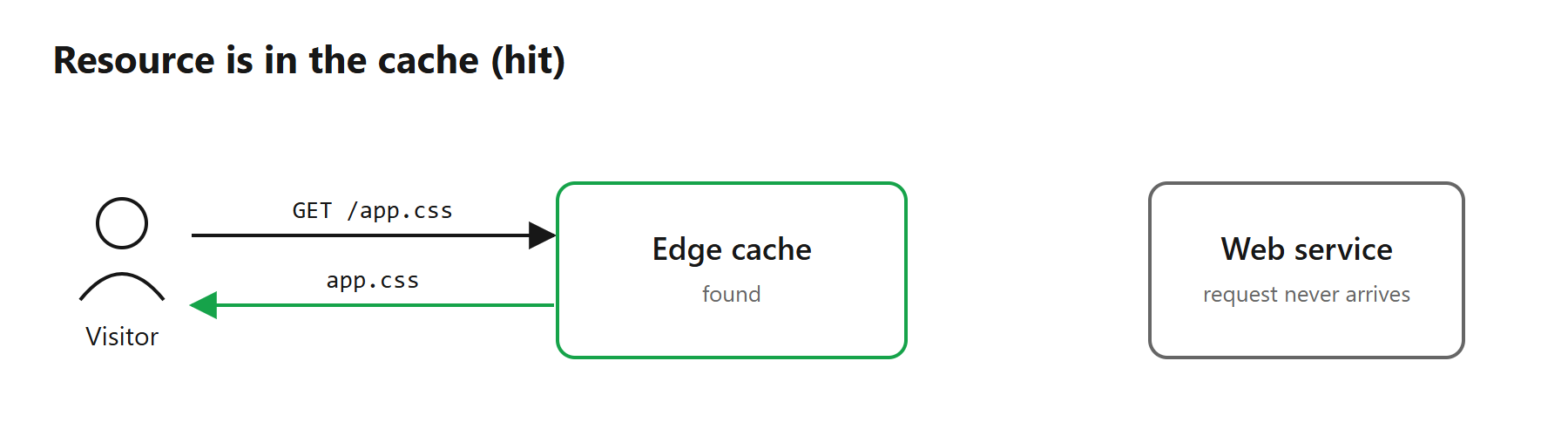
If the requested resource is in the cache (and the entry is not stale), Voroa serves the cached version. The request never reaches your web service, which speeds up the response and reduces load.
-
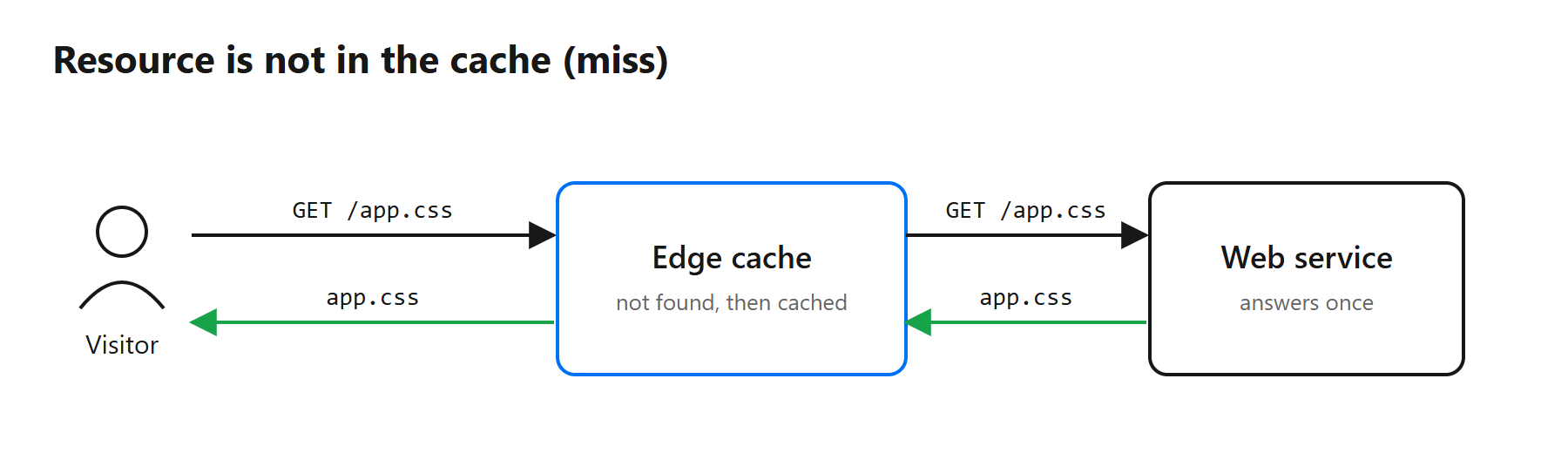
Otherwise, Voroa fetches the resource from your web service and, if the response is also cache-eligible, caches it for future requests.


Cache eligibility

All of the following must be true for a response to be cache-eligible:
- The request uses the
GETorHEADmethod. - The requested resource has a cacheable file type based on your setting.
- The response either includes a
Cache-Controlheader that allows caching, or has a default-cacheable status code. - The response does not include a
Set-Cookieheader.
Requests that carry an Authorization header are never cached, and a response whose content type does not
match its file extension (for example an HTML page served at a .css address) is never cached.
Default-cacheable status codes
If your web service returns a cache-eligible response without a Cache-Control header, Voroa caches it
if it has one of these status codes, for the corresponding default time:
| Status code | Default TTL |
|---|---|
| 200, 206, 301 | 120 minutes |
| 302, 303 | 20 minutes |
| 404, 410 | 3 minutes |
Invalidation and expiration
| Scenario | Description |
|---|---|
| New deploys | Each time you successfully deploy a new version of your web service, Voroa purges all of the service’s edge cache entries, once the new version is serving. Failed deploys do not trigger a purge. |
| TTL expiration | Each cache entry has a time-to-live (TTL). When it expires, the entry is stale, and the next request for it goes to your web service, which refreshes the entry. |
| Manual purge | On the Edge Caching section of your service’s Settings, click Purge cache. This purges all of your web service’s edge cache entries. The section shows when the cache was last purged and by whom. |
Load protection on cache purge
After a purge, if several visitors request the same uncached resource at once, the edge forwards only one of those requests to your web service, caches the response, and serves it to everyone waiting. A purge can briefly increase your service’s request volume, roughly by the number of unique resources requested.
Setting Cache-Control headers
You can customize edge caching for a particular resource with a Cache-Control (or CDN-Cache-Control)
header in your web service’s response.
| Customization | How |
|---|---|
| Set a TTL | Include the public directive and set max-age or s-maxage to a value greater than 0, for example Cache-Control: public, max-age=3600. |
| Disable caching | Include no-store, or private, max-age=0, no-transform to keep a response out of the edge cache while still letting browsers cache it. |
| Set revalidation behavior | Combine must-revalidate, stale-while-revalidate and stale-if-error, for example Cache-Control: stale-while-revalidate=60, stale-if-error=600. |
Precedence rules
CDN-Cache-Controltakes precedence overCache-Controlwhen both are present.s-maxagetakes precedence overmax-agewhen both are present.
Bandwidth and metrics
Responses served from the edge cache never reach your web service. They do not count towards your outbound bandwidth and do not appear in your service’s request metrics.